iSeePassword Dr.Archive for Windows Recover Forgotten Archive Passwords Locally

Recover forgotten ZIP, RAR, RAR5 and 7z passwords locally with up to 98% success rate.

  • • Supports popular archive formats: ZIP, RAR, RAR5 and 7z.
  • • Provides 3 recovery modes: Smart Dictionary, Mask and Brute-force.
  • • Uses GPU and CPU acceleration to check password combinations faster.
  • • Saves recovery sessions so you can pause and resume long tasks anytime.
  • • 100% local recovery. Your archive files are never uploaded.
  • • Compatible with Windows 11, 10, 8.1, 8 and 7.
Dr.Archive archive password recovery illustration

What Is Dr.Archive and How It Works?

Dr.Archive is a professional archive password recovery tool for users who forgot passwords to their own ZIP, RAR, RAR5 or 7z files. It analyzes the encrypted archive data locally and checks possible passwords using selected recovery modes. You can choose a smart dictionary list, enter password clues with Mask mode, or run a full Brute-force search when you do not remember any details.

The original archive file will not be modified during recovery. Dr.Archive only tests password candidates against the encrypted archive information, so your data stays safe while the recovery task is running.

 

Dr.Archive archive password recovery

Recover Archive Passwords with 4 Core Advantages

Whether your archive was created by WinRAR, 7-Zip, WinZip or another common compression tool, Dr.Archive gives you flexible recovery options and keeps the whole process local on your Windows PC.

Recovery Modes

3 Recovery Modes

Use Smart Dictionary, Mask or Brute-force mode depending on how much you remember about the password.

GPU and CPU Acceleration

GPU and CPU Acceleration

Speed up password checking with optimized GPU and multi-core CPU acceleration.

Archive Format Support

ZIP, RAR, RAR5 and 7z

Recover passwords from the most popular archive file formats used on Windows.

Dr.Archive recovery modes

Choose the Best Recovery Mode

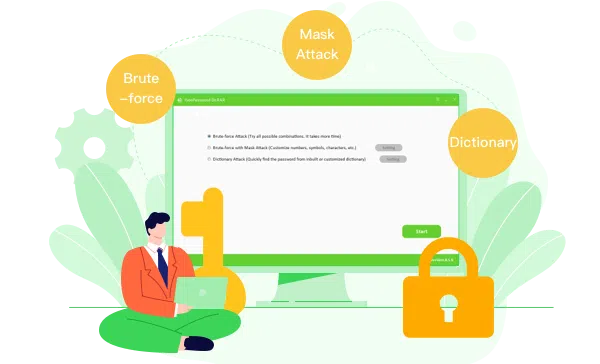
Smart Dictionary: Try common passwords, imported dictionaries and custom words such as names, dates, phone numbers or keywords you often use.

Mask Recovery: Best when you remember part of the password, such as the length, prefix, suffix, character type or several known letters.

Brute-force Recovery: Try all possible combinations when you have no clues. This mode is more complete but may take longer for strong passwords.

Tip: Start with Smart Dictionary or Mask mode first. They are usually much faster than full Brute-force recovery.

Dr.Archive GPU Acceleration

GPU Acceleration, Faster Recovery

Strong archive passwords can take a long time to check with CPU only. Dr.Archive uses GPU and multi-core CPU acceleration to improve recovery speed where supported. This helps you test large dictionaries, mask patterns and password combinations more efficiently.

Recovery speed depends on archive type, encryption method, password complexity and your computer hardware.


More Features

High Recovery Rate

Up to 98% Success Rate

Recover forgotten archive passwords with the right recovery mode and password clues.

Archive Format Support

Archive Format Support

Supports ZIP, RAR, RAR5 and 7z archive files created by popular compression tools.

Local Recovery

100% Local Recovery

Your files stay on your computer. No archive upload is required during recovery.

Saved Sessions

Saved Sessions

Pause, stop and resume long password recovery tasks without starting over.

Easy to Use

Easy to Use

Add your archive file, choose a recovery mode, enter clues and start recovery.

Lifetime Free Update

Lifetime Free Updates

Enjoy future product updates after purchasing the lifetime license.


Get Dr.Archive Now

Recover forgotten ZIP, RAR, RAR5 and 7z passwords on Windows 11, 10, 8.1, 8 and 7.

What Our Users Say


User Review
Rohan Malhotra
Aug. 26, 2026


I had an old RAR archive with project files inside, but I could not remember the password. Dr.Archive made the process easy because I could enter the password patterns I still remembered. Mask recovery found the password much faster than I expected.


User Review
Aiden Chad
Apr. 21, 2026


I use both ZIP and 7z archives for backups, so I wanted one tool that supports more than ZIP only. Dr.Archive is clean, simple and helpful, especially with dictionary recovery and saved sessions for longer tasks.